Raygun APM Agent 3.1: async traces that stay with the right request
Posted Sep 8, 2026 | 6 min. (1084 words)Raygun APM Agent 3.1 introduces more accurate asynchronous request tracing for Windows, Linux, and Azure App Service.
Version 3.0 rebuilt the foundation of the Agent, profiler, installers, and release pipeline. Version 3.1 builds on that work with a focused improvement for ASP.NET Core: automatic request correlation that follows asynchronous execution without requiring developers to instrument their application.
The result is a more accurate trace, with less duplication and a clearer view of the work performed for each web request.
Why asynchronous requests are difficult to trace
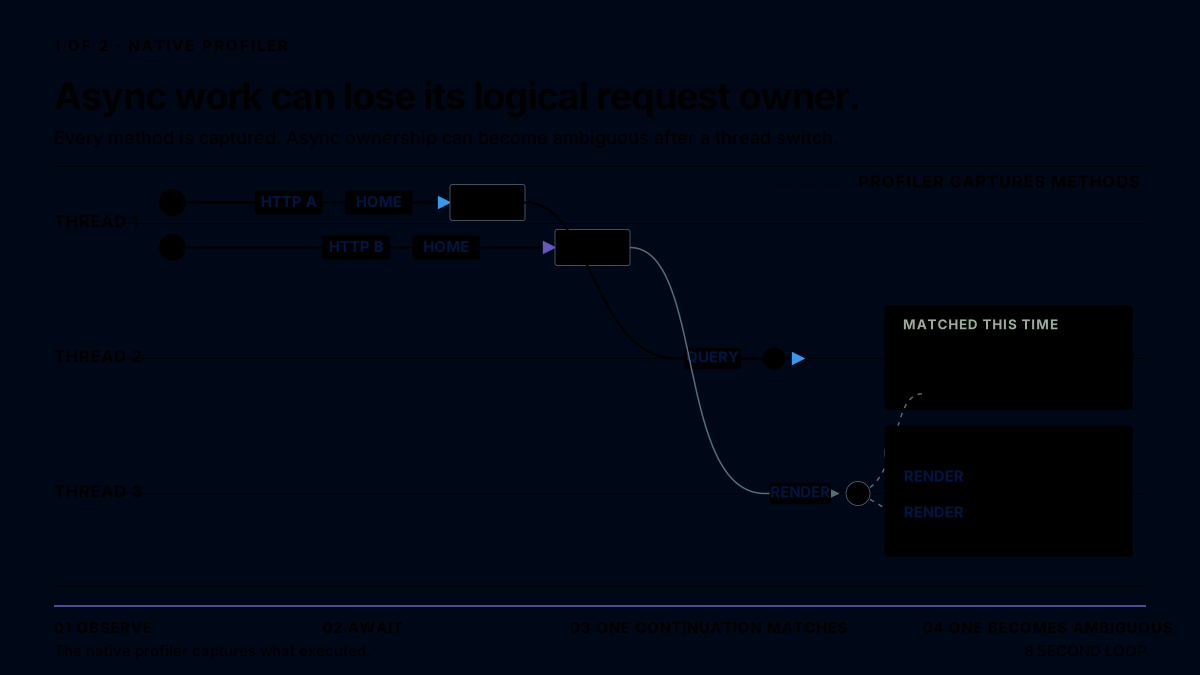
A native profiler can see which methods execute, when they start, when they finish, and which thread runs them. That works well until an asynchronous method awaits an incomplete operation.
The request can pause on one thread and resume on another. In the meantime, the original thread can start processing a different request. Thread identity is therefore not the same as request identity.
Without an explicit request owner, a profiler must reconstruct the relationship from timing, task, and method data. It may correctly join one continuation but leave another as a separate fragment. In more difficult cases, work from concurrent requests can appear to belong together even though it does not.
The profiler captured the execution. What it did not have was a stable identity that travelled with the request.
The startup hook supplies the missing request identity
Raygun APM 3.1 combines the native profiler with a small managed startup hook.
The native profiler still captures method calls, timings, database activity, and the rest of the execution trace. The startup hook has a different job: it identifies the ASP.NET Core request and carries that identity across asynchronous boundaries.
When a request starts, the hook assigns it a process-local operation ID. .NET normally carries that ID through its execution context, including across await and Task.Run. The profiler records the current operation ID alongside the captured method calls, and the Agent uses it to assemble only the fragments owned by that request.
When the request completes, the Agent has explicit request start and completion boundaries, the HTTP method and URL, the response status, and the matching fragments captured during the request.
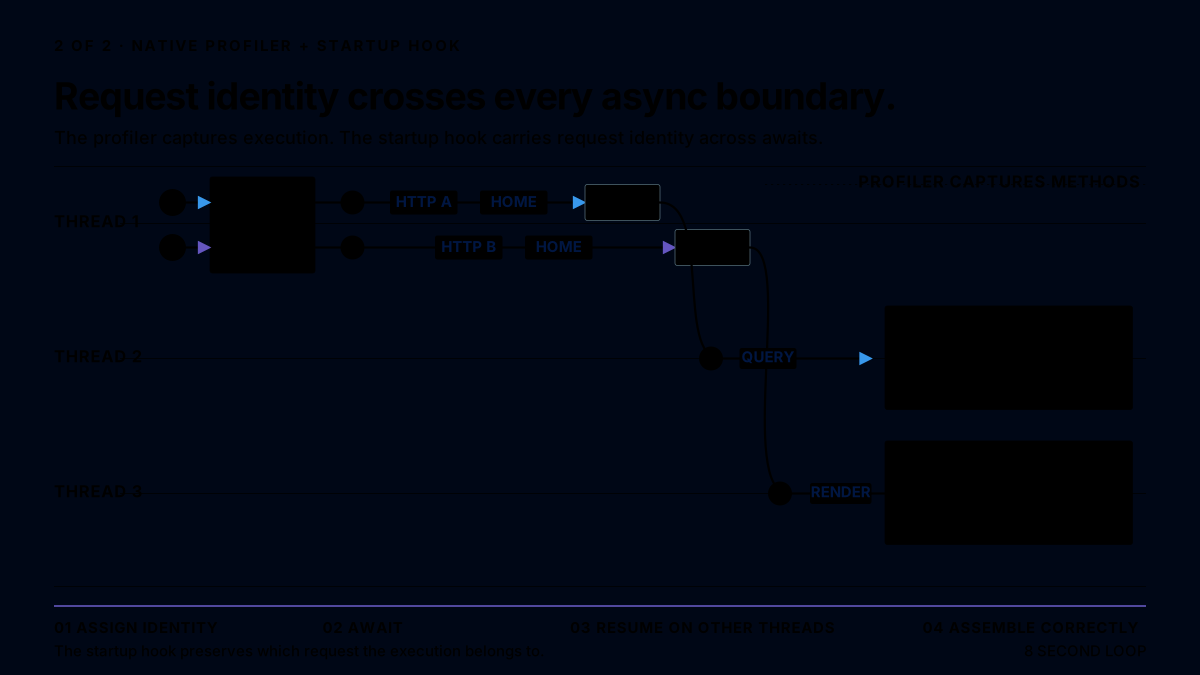
The startup hook does not replace the profiler. The two components solve different parts of the problem:
- The native profiler records what executed and how long it took.
- The startup hook records which ASP.NET Core request owns that execution.
- The Agent combines both streams into the completed trace shown in Raygun.
No application code changes are required
You do not need to add Raygun middleware, reference another package, create spans, or change application source code.
The Raygun installers include Raygun.Apm.StartupHook.dll with the profiler. The hook is loaded through the standard .NET DOTNET_STARTUP_HOOKS setting before the application entry point runs. On Windows and Windows Azure App Service, Raygun preserves existing non-Raygun startup-hook entries when it adds the hook.
Linux deployments must configure DOTNET_STARTUP_HOOKS using the complete setting printed by the installer before restarting the profiled application. The installer does not modify the application’s configuration.
If request identity is unavailable, the Agent falls back to its existing correlation path and does not attach partially identified work to another request.
Cleaner traces, not more instrumentation noise
The correlation work also gave us an opportunity to improve how asynchronous traces are presented.
Raygun APM 3.1 now:
- Combines the physical
MoveNextslices from one async state-machine instance into one logical method call - Keeps separate invocations of the same async method as separate calls
- Removes synthetic
await MethodNamewrappers when the real logical method is available - Hides Raygun startup-hook helper frames after correlation is complete
- Names middleware spans by type, such as
AuthenticationMiddleware.Invoke, instead of showing a pipeline full of indistinguishableInvokeandInvokeAsynccalls - Preserves database calls and other child work under the request that actually performed them
These changes affect the trace representation, not the application. The timeline should look more like the code a developer recognizes and less like the compiler-generated machinery that implements it.
Better names for API v3 MCP traces
Raygun uses the official C# MCP SDK to expose Raygun API v3 as an MCP server. HTTP requests for its tools share the same endpoint, so their traces would otherwise appear under the same URL. APM 3.1 now includes the captured tool name in Raygun API v3 MCP trace URLs, making individual operations easier to identify.
MCP tool execution can continue outside the original HTTP context. Raygun API v3 supplies the tool name through its existing correlation markers, which the Agent uses after request ownership has been established.
Instead of every tool call appearing as the same request:
POST https://api.raygun.com/v3/mcpThe completed trace can include the captured tool name:
POST https://api.raygun.com/v3/mcp/apm_traces_searchThis is the URL APM displays for the completed trace, not a new HTTP endpoint.
This makes individual MCP operations easier to find and compare without parsing or retaining the JSON request body.
Platform behavior
The startup hook is delivered with each supported Raygun APM package:
- Windows: The MSI installs the hook and can configure selected CoreCLR IIS application pools or Windows services. The Raygun Configuration Utility can configure IIS application pools separately. Both preserve existing non-Raygun startup-hook entries.
- Linux: The release archive installs the hook at
/opt/raygun/agent/current/StartupHook/Raygun.Apm.StartupHook.dll. The installer prints the completeDOTNET_STARTUP_HOOKS=...setting, which you must add to the profiled application’s environment. - Windows Azure App Service: The .NET Raygun APM Azure Site Extension installs the versioned hook and adds it to the application worker environment.
Restart or recycle the application after configuration because .NET discovers both the profiler and startup hook when the process starts.
Automatic request ownership applies to ASP.NET Core applications on supported CoreCLR runtimes. Classic ASP.NET applications on .NET Framework continue to use Raygun’s existing correlation path.
The operation ID is private, process-local correlation metadata. It is not a distributed trace ID, does not add a request header, and is not exposed as application data.
Upgrade to Raygun APM 3.1
Find the latest platform installers and release details on the Raygun APM downloads page.
On Linux, run in Bash:
curl -fsSL https://downloads.raygun.com/apm/install.sh | sudo sh
On Windows, open an elevated PowerShell session and run:
Invoke-RestMethod 'https://downloads.raygun.com/apm/install.ps1' | Invoke-Expression
For Windows Azure App Service, update the .NET Raygun APM Azure Site Extension through the Azure portal, then restart the App Service.
After upgrading, make sure the application is configured with both the profiler and startup hook.
Upgrade to Raygun APM 3.1, restart the application, and review your ASP.NET Core traces. Async work now stays connected to the request that triggered it, without application code changes.