Raygun Real User Monitoring introduces Slack and HipChat integrations
Posted Dec 6, 2016 | 2 min. (423 words)Raygun Real User Monitoring wants to keep you regularly updated on the health of your website. This way, especially if you are managing a project of a team of people, you’ll be able to set important benchmarks for measuring improvements made to your website performance. With the latest Raygun Real User Monitoring integrations, you’ll be able to opt to receive a daily performance notifications directly to a designated team chat room. These integrations were designed to keep you in the loop about important information like page load speed and session information.
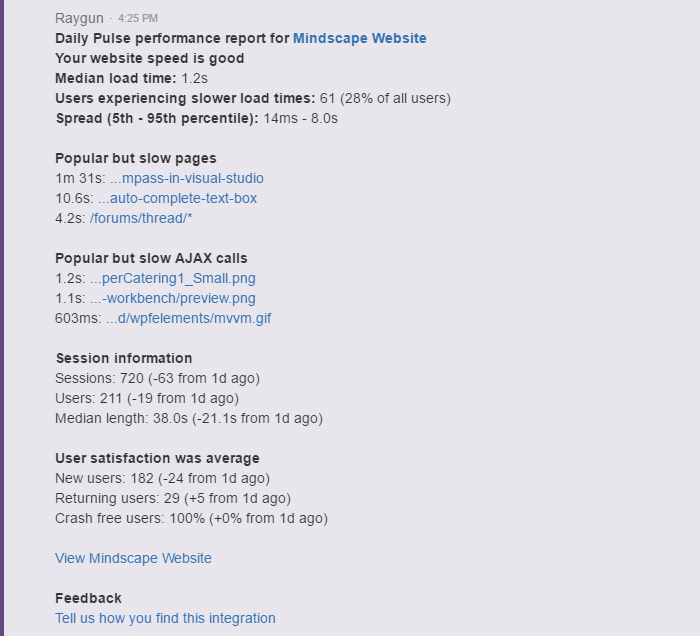
The daily notification includes detailed information on the following performance indicators:
- Overall website speed
- Median load time
- Number of users experiencing slow load times
- Spread (5th-95th percentile)
- Popular but slow pages
- Popular but slow AJAX calls
- Session information
- User satisfaction average
Setting up the daily notifications takes just a few moments.
Here’s how to set up the Raygun Real User Monitoring integrations:
(Jump to the Slack or HipChat setup process.)
Slack
Step 1.
To start receiving a daily report of your website performance in Slack, head to the ‘Integrations’ menu item located in the left menu bar:

Step 2.
Click on the Slack logo to begin the integration process:

Step 3.
From here, you will arrive at the integration window. Head to the ‘Setup’ tab, enable the changes by selecting the checkbox labeled ‘Daily Digest’ and click ‘Save Changes’.
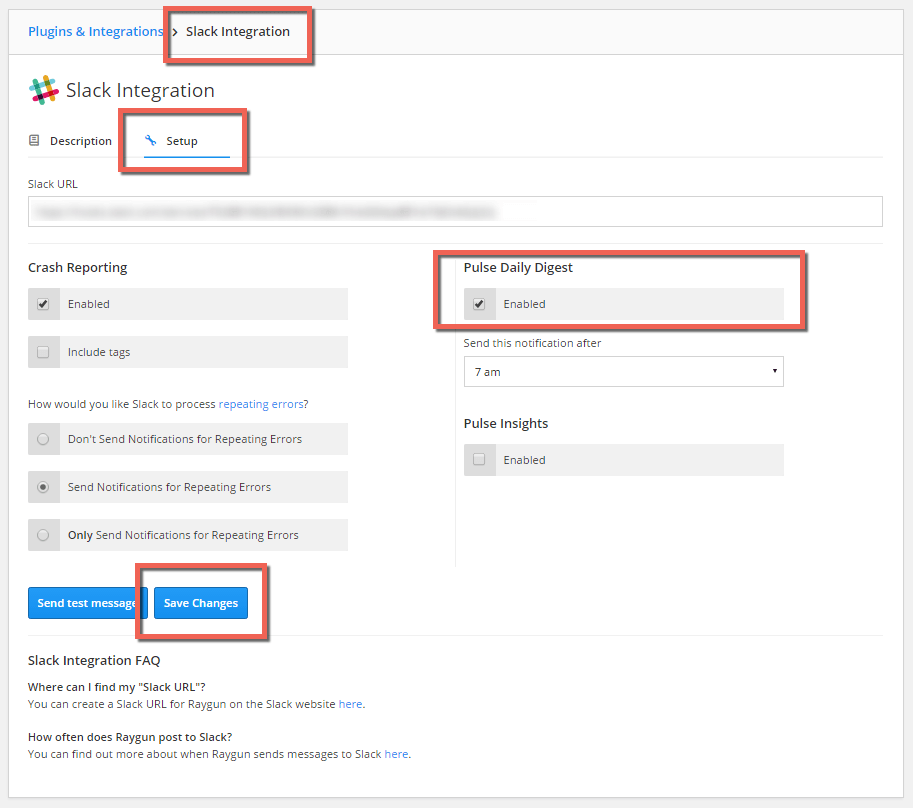
Now, you will start receiving a daily performance report that looks like the image below. You’ll have all the details you need to set performance benchmarks for your business and see improvements over the course of a set time frame:

HipChat
Step 1.
To start receiving a daily report of your website performance directly to HipChat, head to the ‘Integrations’ menu item located in the left menu bar:
Step 2.
Select the ‘HipChat’ logo to begin the integration process:
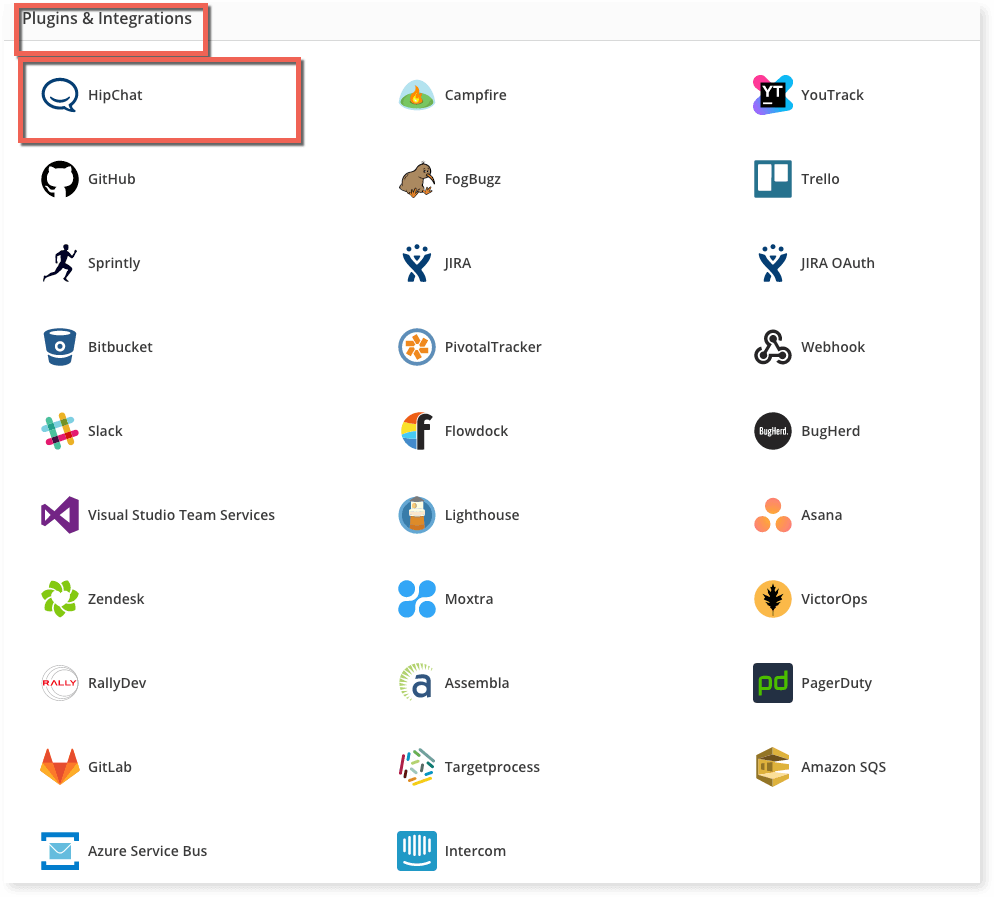
Step 3.
From here, you will arrive at the integration window. Head to the ‘Setup’ tab, enable the changes by selecting the checkbox labeled ‘Daily Digest’ and click ‘Save Changes’.
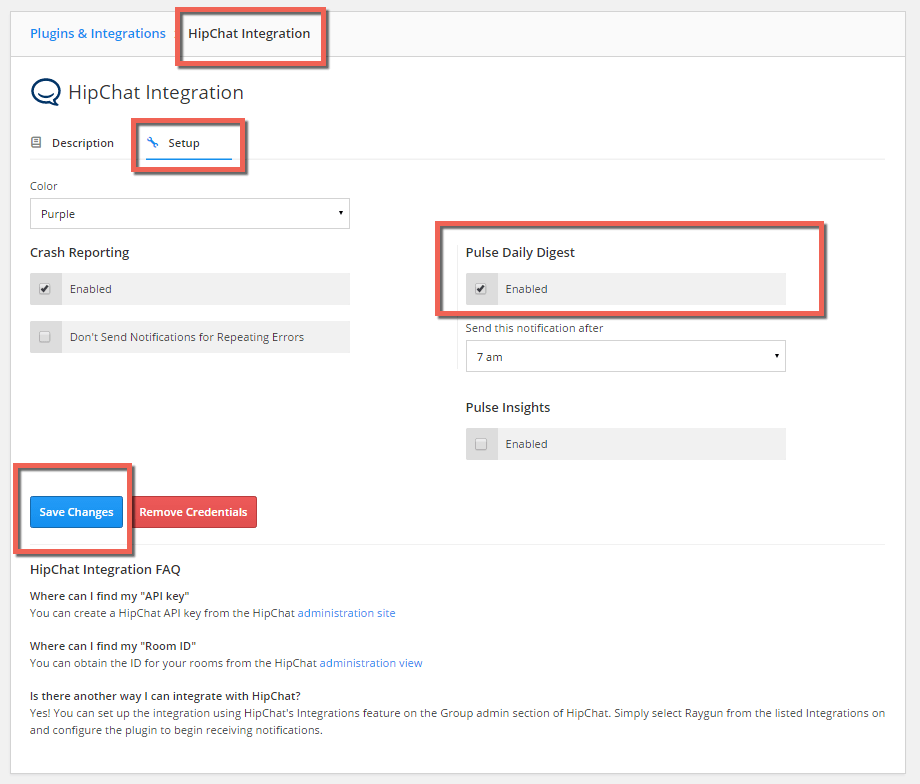
Step 4.
Now, you will start receiving a daily performance report that looks like the image below. You’ll have the details you need to set performance benchmarks for your business and see improvements or weaknesses:
You are ready to go!
You are all set to receive daily notifications directly to your team chat software. Do you need any help or have any questions about our new Raygun RUM integrations or receiving daily performance updates in Slack or HipChat? Contact a friendly team member here.